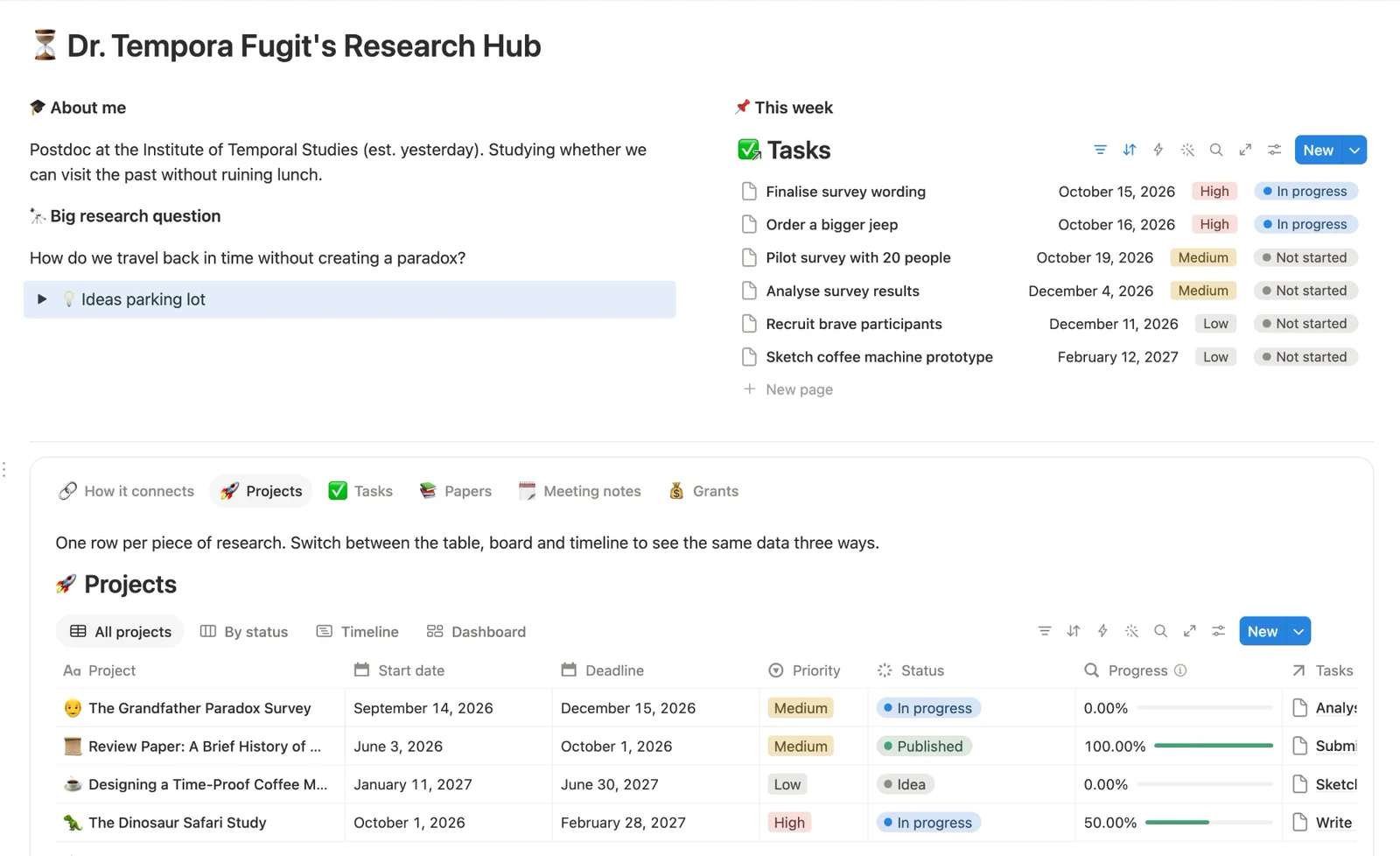
Projects
The centreEverything else links here. Dates, priority, status and a progress bar that fills as tasks get done.
 Notion for Researchers
Free Notion template: the Research Hub
Five linked databases, ready to duplicate into your own Notion. It’s the setup I wish I’d had during my PhD, filled with sample data so you can see how everything connects before you make it yours.
Free. We’ll email you the link too, so you can come back to it.
What’s inside
Open a project and its papers, tasks, meetings and grants are already there. No copy and paste, no hunting through folders.
Everything else links here. Dates, priority, status and a progress bar that fills as tasks get done.
Your literature, named by short citation (Rossi et al. 2016) and linked to the projects it supports.
Every task belongs to a project, so nothing floats around on its own.
Supervisor, lab and collaborator meetings, each linked to the project it was about.
Deadlines, amounts, status and reviewer feedback, from first idea to funded.
See it in action
Give each project a start and an end date, and the timeline view becomes the Gantt chart for your PhD or your next grant application.
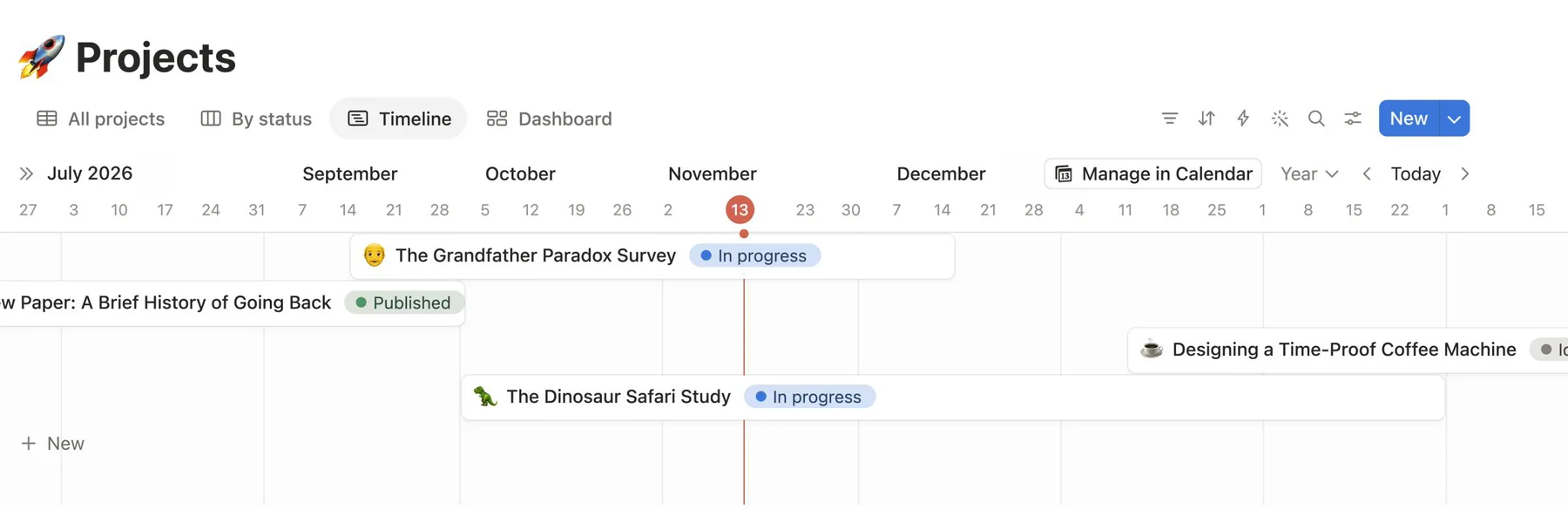
The sample data belongs to a time-travel researcher. Silly on purpose, so it’s more fun to explore. Poke around, see how it all connects, then swap in your own work.
Get the Free Template